The platform
One system.
Every operational signal.
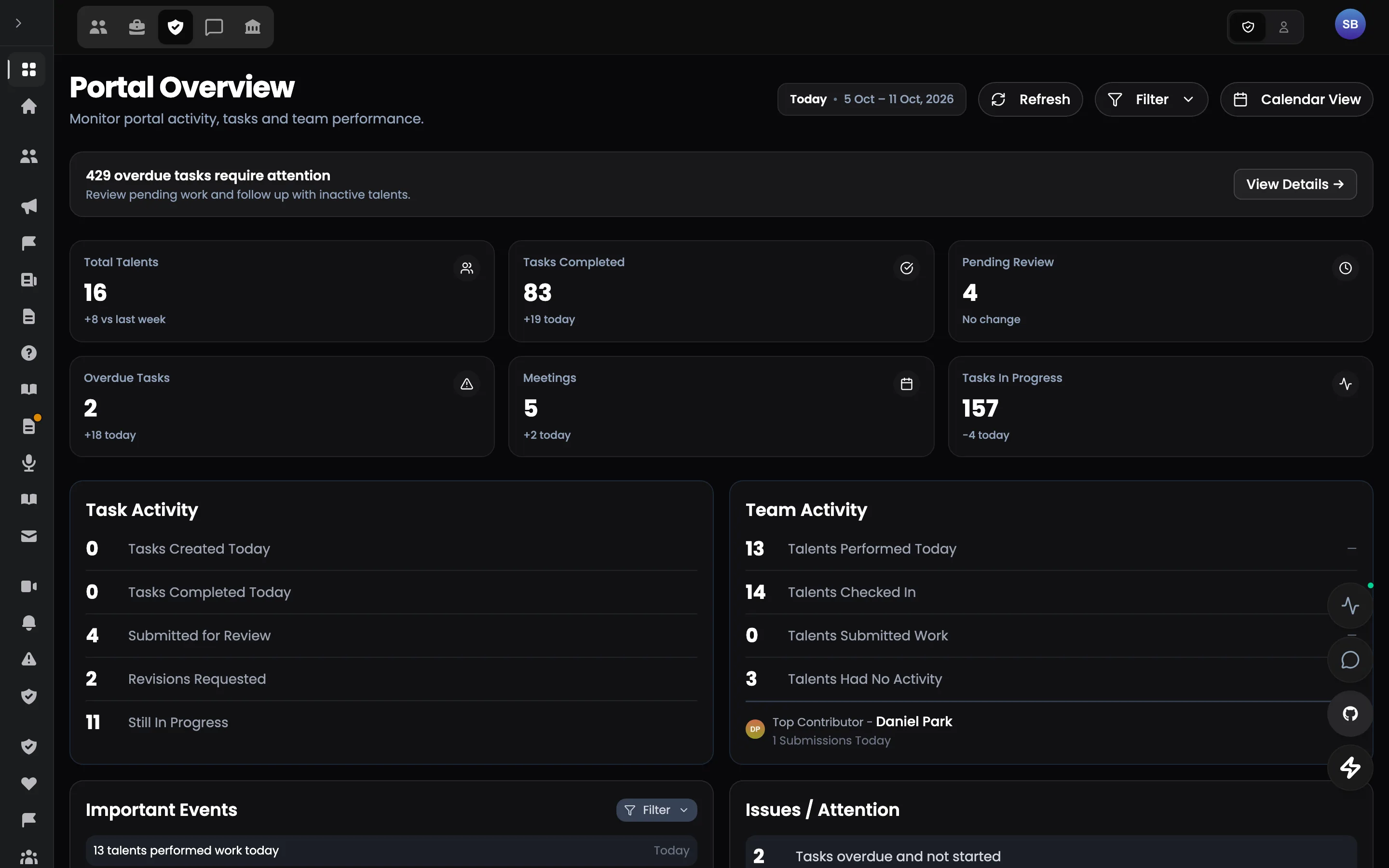
Leave changes capacity, check-ups set intent, tasks capture execution, reports document output — all on one record.
The record
Nothing entered twice. Everything explainable.
Every module writes to the same record and reads from it. That is why a hire arrives with access, why a missed check-up shows up in performance, and why a weekly picture needs no assembly.
- 01
Hire
Applicant accepted
- 02
Access
Account, role, batch created
- 03
Work
Tasks, check-ups, meetings
- 04
Proof
Reports with verified hours
- 05
Standing
Performance, XP, compliance
Three pillars · 01
Work
From request to reviewed, finished work.
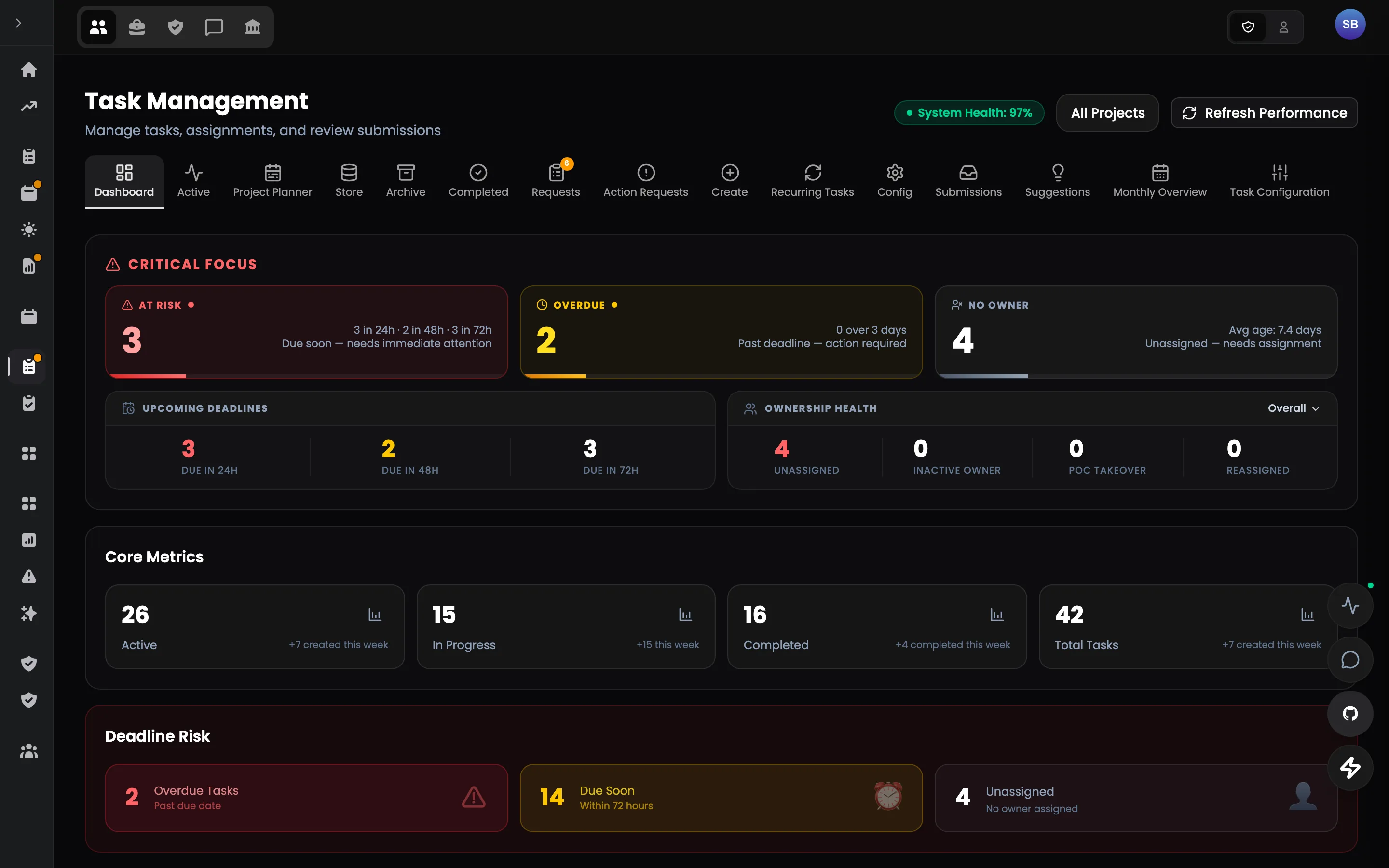
Tasks carry their brief, requirements, reviewer and deadline. Check-ups set the day's intent, shift reports prove what moved.
Work is reviewed against what was asked — and finished work stays recoverable.
Three pillars · 02
People
Candidate to team member, on one record.
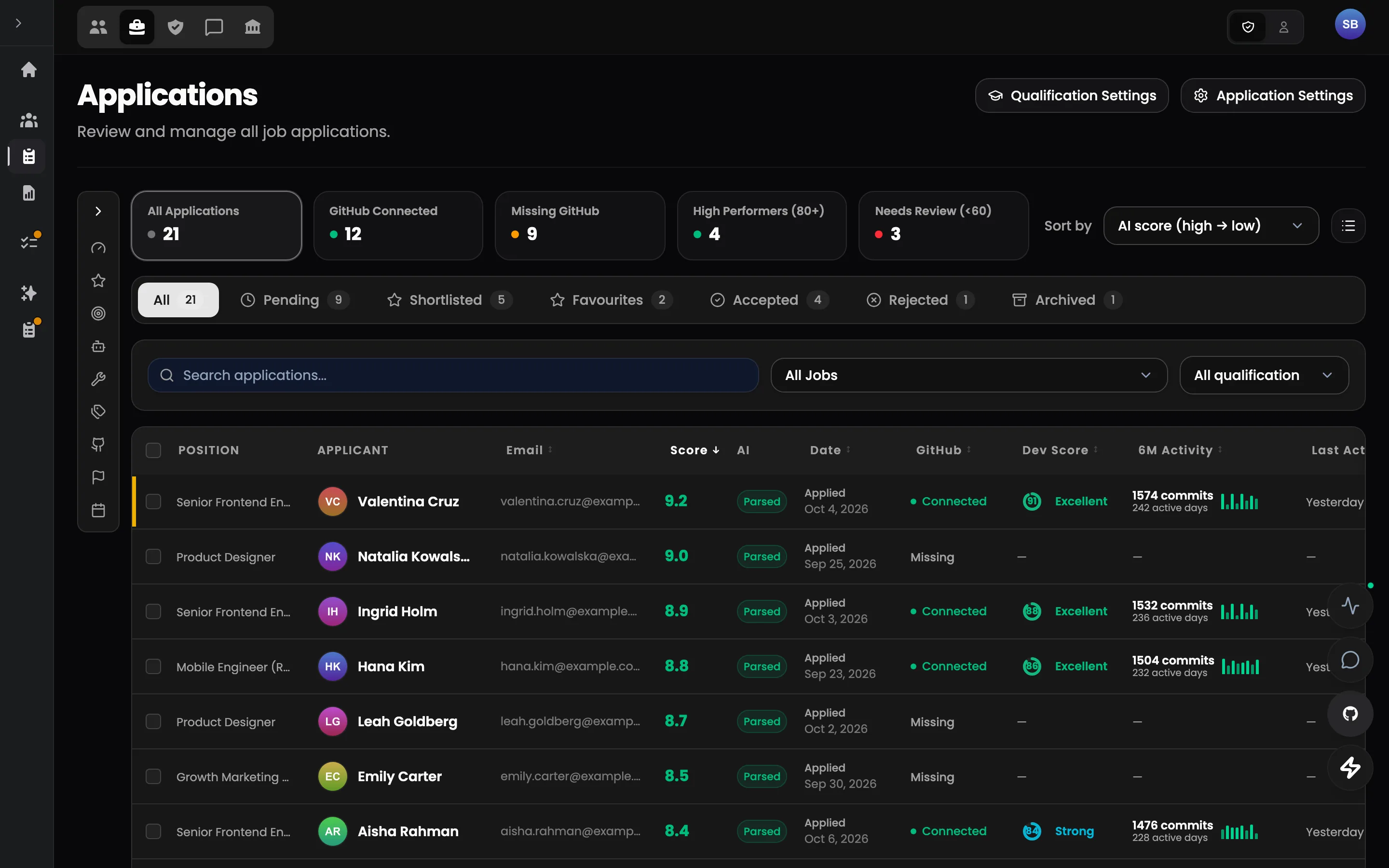
A careers page, a screening room, onboarding flows, documents, pay and learning — every step keyed to the same person.
- Careers page
- Hiring pipeline
- Onboarding
- Time off & attendance
- Documents
- Payments
- Learning hub
- XP, badges & leaderboard
A candidate becomes a team member without anything being entered twice.
Three pillars · 03
Operations
Run the day without assembling reports.
Attendance, meetings, communication, analytics and access — computed from the work record, not reported by hand.
See what needs attention before someone has to ask.
Portals
Six portals. Each one for a job.
Workspaces, Operations, Talent, Hiring, Communication and Admin — each a focused surface on the same data.
Across the six portals, 137 modules — the product’s own navigation, mirrored here. A pilot uses the handful your workflow needs.
Integrations
Connected to the tools that stay.
- Time tracking
- Attendance synchronised from Jibble: check-ins, breaks, clock-outs.
- Calendars & meetings
- Meetings created from the portal with calendar and Meet links.
- Code hosting
- Repository activity as evidence in hiring.
- Media
- Uploads stored and delivered; recordings transcribed.
- Push & email
- Web and mobile push, transactional mail.
- Webhooks
- Incoming events from meeting recordings, code hosting and calendars update the record.
Apps
One account. Web, desktop, mobile.
Web
Admin, talent, hiring and operations in the browser; careers and onboarding pages need no account.
Desktop
A Windows app with tray, native notifications and auto-update.
Mobile
A responsive web app with push: messages, tasks, reminders, attendance and the day's check-up.
Questions
Asked before every pilot.
What is Kadrana?
A multi-tenant workforce operating system: hiring, tasks, shifts, check-ups, reports, pay, documents, learning and communication on one record — with a portal for admins and one for talents.
Who is it for?
Organizations that run work through a changing roster of people — agencies, operations teams, distributed teams and growing companies whose tools have multiplied one at a time.
Do we have to replace our existing tools?
No. A pilot starts with one area and runs alongside the current stack. Time tracking can stay connected (attendance is synchronised from Jibble), and other teams stay where they are.
Can it be adapted to how we work?
Yes. Roles, permissions, sidebar tabs, review rules, the check-in interval, XP, gates and evaluation weights are configured per organization — not coded. The check-up and report forms themselves are the same for every organization.
How is access controlled?
Roles are a matrix of module, feature and action. A talent's portal can be locked by hand or automatically after a set number of days without clocking in, phone numbers are masked for roles without the permission, and admin actions — changes to roles, permissions and admins among them — are written to an audit trail.
What does this mean for monitoring and a works council?
Kadrana records tasks, check-ups and attendance, so introducing it is a matter for your works council where you have one. What is recorded is configured, not fixed: the check-in interval is set per organization and per person (1 to 12 hours), the leaderboard can be hidden from the talent dashboard, talents can be limited to seeing only their own batch, and the weights behind the performance score are yours to set. Talents see their own score, check-ups and reviews.
Where is our data, and what about GDPR?
Every record carries its organization and every query is scoped to it at the data layer. Hosting region, a data processing agreement and retention periods are settled in the pilot conversation — we do not publish claims here that we cannot back up, so ask for them there, together with any security questionnaire.
What do we need for a pilot?
One internal owner who can make decisions about the workflow, the team or workflow you pick, input for the initial configuration — roles, steps, data — and feedback while it runs. We map the workflow with you, configure roles and permissions and support the pilot team's onboarding.
Where does AI come in?
In clearly bounded places: weekly summaries per person, résumé parsing, media transcription and explanations of performance figures, plus an assistant chat whose sessions admins can read in one monitor.
The pilot
Don't replace your stack on day one.
Start with the one workflow where fragmentation costs the most. Run Kadrana alongside your current tools, measure the result, and expand only if it works.